
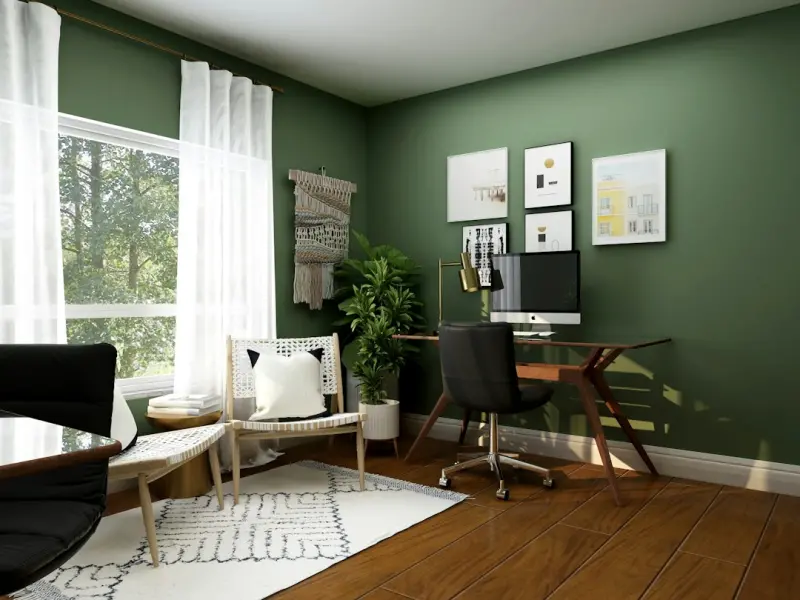
Transform Your Home Office into a Productivity Powerhouse
When the line between “work” and “home” blurs, the space you spend most of your day in becomes the silent architect of your performance. I’ve spent years hopping between cramped kitchen tables, coffee‑shop corners, and the occasional couch‑based brainstorming session. What finally clicked for me was that a well‑designed home office isn’t just about a fancy desk; it’s an ecosystem of comfort, focus, and subtle inspiration. Below is a step‑by‑step guide that takes you from the chaotic “just‑throw‑a‑chair‑in‑the‑corner” approach to a thoughtfully curated workspace you’ll actually look forward to using.
1. Start with a Purpose‑Driven Layout
Before you rush out to buy a standing desk or the latest ergonomic chair, ask yourself a simple question: What do I need this space to accomplish? The answer will dictate everything that follows. Here are three common goals and the layout tweaks that serve them best:
- Deep focus work – Position your desk away from high‑traffic zones (kitchen, living room) and face a neutral wall. A subtle backdrop reduces visual distractions.
- Creative brainstorming – Keep the space open, with a large whiteboard or corkboard on one wall. A standing desk or adjustable height work surface encourages movement.
- Hybrid meetings – Ensure you have a clean, professional background for video calls. A simple bookshelf or tasteful artwork works wonders.
Map out your floor plan on graph paper or a free online tool. By visualizing traffic flow, you’ll avoid the classic mistake of placing a work station directly under a window that brings in glare (more on lighting later).
2. Master the Fundamentals of Ergonomics
Ergonomics isn’t a buzzword; it’s a health safeguard. The three‑point rule—monitor at eye level, elbows at a 90‑degree angle, feet flat on the floor—should be your baseline.
- Monitor height: Use a monitor riser or a stack of sturdy books. The top of the screen should be at or just below eye level, reducing neck strain.
- Chair support: An adjustable chair with lumbar support is a must. If your current chair lacks this, a small lumbar pillow can fill the gap.
- Keyboard and mouse placement: Keep them close enough that your shoulders stay relaxed. A keyboard tray can lower the height, preserving the 90‑degree elbow angle.
Investing in ergonomics pays off in fewer aches, higher concentration, and an overall sense of well‑being. If budget is tight, start with inexpensive accessories—gel wrist rests, footrests, and monitor stands—before splurging on a full‑suite ergonomic chair.
3. Light Up Your Workspace the Right Way
Lighting is the unsung hero of productivity. While natural light is ideal, many home offices lack windows or suffer from harsh midday sun. Here’s how to get it right:
- Layered lighting: Combine ambient (overhead), task (desk lamp), and accent (soft LED strips) lighting. This reduces eye strain and adds visual depth.
- Color temperature: Choose cool‑white bulbs (4000‑5000K) for focus‑intensive tasks, and warm‑white (2700‑3000K) for evening work to signal your brain it’s time to wind down.
- Glare control: If you do have windows, install a light‑filtering blind or a sheer curtain. For those who love background chatter, a practical acoustic hack can simultaneously mute sound and soften light.
Don’t underestimate the power of a well‑placed desk lamp. A lamp with an adjustable arm lets you direct light exactly where you need it—right onto the pages of a contract or the sketch pad for that next big idea.
4. Declutter with Intentional Storage Solutions
Clutter is the visual equivalent of background noise. The trick isn’t to shove everything into a drawer; it’s to create designated homes for everything you need. Consider these storage ideas:
- Vertical shelves: Make use of wall space with floating shelves. Store books, binders, and decorative pieces that double as inspiration.
- Drawer organizers: Small compartments keep pens, sticky notes, and USB drives from forming a chaotic jumble.
- Hidden cabinets: If you have a spare closet, install sliding doors to conceal equipment you only use occasionally.
Every item should have a clear purpose. If you can’t justify its presence within a month, it likely belongs in a donation box.
5. Introduce a Micro‑Wellness Corner
Even the most diligent professionals need a brief mental reset. While “tiny wellness nooks” have become a trending phrase, you can create a miniature sanctuary without dedicating an entire corner. A single plant, a diffuser, or a small yoga mat can signal to your brain that it’s time to pause.
Here’s a quick set‑up you can implement in under ten minutes:
- Place a low‑maintenance succulent on the desk edge. It adds a splash of green and improves air quality.
- Position a compact essential‑oil diffuser nearby. Scents like peppermint or citrus boost alertness, while lavender calms nerves during late‑night sessions.
- Keep a set of resistance bands or a mini foam roller in a drawer for a quick stretch between meetings.
For those craving a deeper dive, the tiny wellness nook guide offers creative ways to blend functionality with tranquility.
6. Optimize Your Audio Environment
Even if you’ve mastered visual focus, unwanted noise can still sabotage concentration. A few strategic moves can transform a cacophonous kitchen‑adjacent office into a quiet zone:
- Sound‑absorbing panels: Thin acoustic foam tiles mounted on the wall behind your monitor absorb echo and external chatter.
- Soft furnishings: A rug, heavy curtains, and upholstered chairs all act as natural sound dampeners.
- White‑noise machines: A modest device or a smartphone app can mask unpredictable background sounds with soothing static.
Remember, the goal isn’t silence—it’s a controlled soundscape that keeps you in the flow state.
7. Bring a Touch of Green (Even If You’re Not a Gardener)
Plants do more than just look pretty; they improve air quality, boost mood, and can even increase productivity by up to 15 %. You don’t need a full‑blown garden—think of a mini herb rack or a few easy‑care foliage pieces.
If you have a balcony, consider turning it into a year‑round mini garden. Fresh herbs like basil, mint, or rosemary double as kitchen companions and desk‑side aromatherapy.
For low‑light apartments, opt for snake plants, ZZ plants, or pothos. They thrive on neglect and still deliver the benefits of greenery.
8. Keep Technology Streamlined
It’s tempting to pile every gadget onto the desk: extra monitors, chargers, smart speakers, and that quirky USB‑powered fan you bought on a whim. Yet a tangled tech forest can cause mental fatigue.
- Cable management: Use Velcro ties, cable clips, or a simple under‑desk tray to keep cords out of sight.
- Docking station: Consolidate your laptop, phone, and peripherals into a single hub to reduce desk clutter.
- Power strip with surge protection: Centralize power sources and protect your equipment from spikes.
When you need to focus, hide the non‑essential gadgets in a drawer or on a shelf. Your brain will thank you for the visual simplicity.
9. Personalize Without Overstimulating
Your office should feel like an extension of you—professional enough for video calls, personal enough to spark joy. A few tasteful touches can achieve this balance:
- Art: A single statement piece or a series of small prints that inspire you.
- Photo frames: Rotate family photos or travel snapshots to keep emotions grounded.
- Color accents: A bold mousepad, a desk organizer in your favorite hue, or a subtle accent wall can energize the space.
A word of caution: avoid excessive décor that competes with your primary focus. The rule of “one‑to‑three” works well—choose one dominant element and two supporting accents.
10. Establish a “Close‑Down” Ritual
Just as you begin your day with a startup routine, ending it with a close‑down ritual signals to your brain that work is over. This practice reduces the risk of burnout and improves work‑life balance.
- Turn off all electronic devices (or switch to “Do Not Disturb”).
- Wipe the desk clean, returning items to their designated homes.
- Spend five minutes journaling or reviewing the day’s achievements.
- Dim the lights, perhaps switch to a warm‑tinted lamp, and transition to a relaxing activity.
This simple habit can be the difference between a lingering sense of unfinished business and a clear mental reset.
Putting It All Together: A Sample Day in Your Revamped Office
Imagine waking up, strolling to a sun‑filtered workspace where your monitor sits at eye level, a succulent greets you, and soft ambient lighting bathes the room. You begin with a quick stretch using the resistance band stored in your desk drawer, then settle into an ergonomic chair, boots up your laptop via a tidy docking station. As you dive into deep work, a gentle white‑noise hum keeps distractions at bay. Mid‑morning, you sip tea brewed with fresh mint from your balcony garden, feeling a burst of clarity. After a video call, you step back, glance at a framed travel photo, and smile—your environment is both productive and personal. Finally, you close your laptop, dim the lights, and follow your close‑down ritual, leaving the office ready for tomorrow’s triumphs.
Whether you’re a freelance designer, a remote executive, or a budding entrepreneur, these strategies can transform any nook into a high‑performance home office. The key is incremental change: start with one area—perhaps the lighting or the chair—then iterate. Over time, you’ll discover a workspace that not only supports your professional goals but also nurtures your well‑being.

In the world of freelance writing, where creativity and adaptability are paramount, Michelle Fisher stands out as a dedicated and versatile professional. With a passion for crafting compelling narratives and a keen eye for detail, Michelle has established herself as a trusted voice.
Related Posts

Quiet Corners: Mastering Acoustic Comfort in Open‑Plan Homes
Learn how to turn noisy open‑plan spaces into serene retreats using soft furnishings, DIY acoustic... Read More
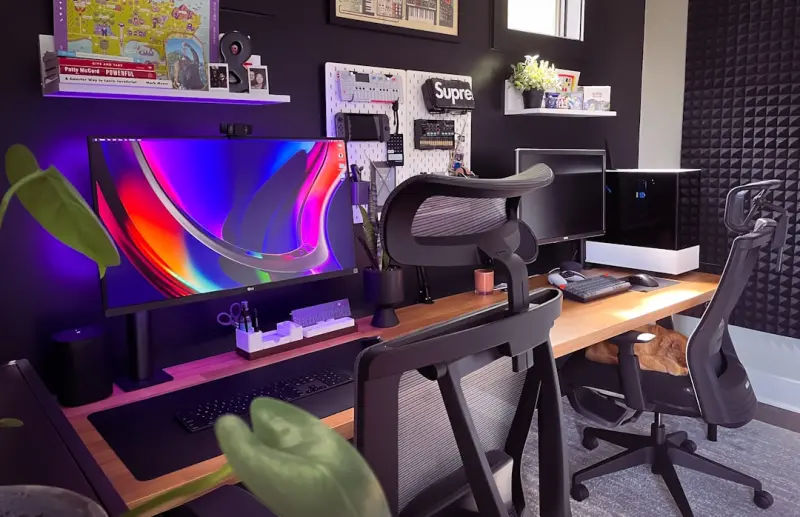
Smart Home Office Makeover: Boost Productivity Without Breaking the Bank
Discover budget‑friendly ways to upgrade your home office, from lighting and temperature hacks to ... Read More
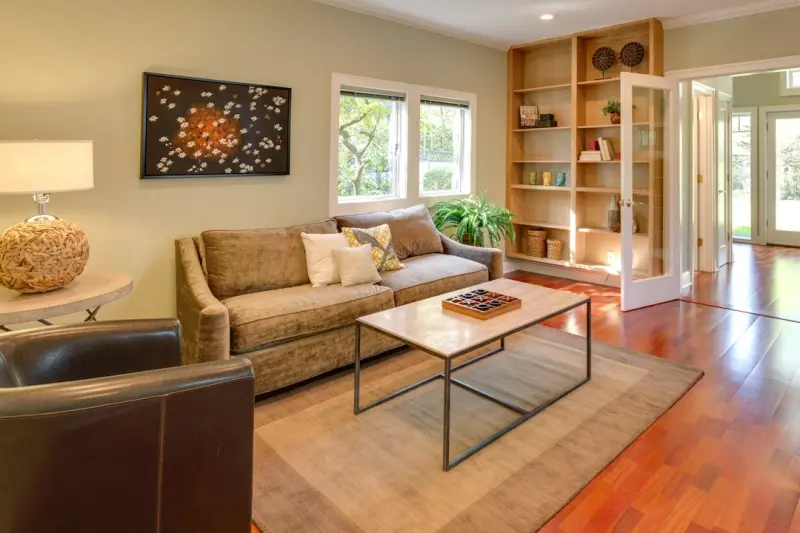
Turn Your Living Space into a Productivity Power‑Hub
Learn how to map energy zones, optimize lighting, sound, and scent, and use smart automation to turn... Read More
Top Posts

Designing a Career‑Boosting Volunteer Sabbatical
A purpose‑driven sabbatical blends volunteer work, skill building, and cultural immersion into a career‑enhancing adventure, offering measurable impact and ...Read More

Creating Calming Nooks: Low‑Tech Strategies for Home Focus
A practical guide to crafting low‑tech calming corners in your home, using everyday items and mindful design to enhance focus and well‑being....Read More

Zero‑Tech Escapes: Redefining Luxury Travel in the Age of Constant Connection
Explore the art of traveling without screens, from minimalist packing to micro‑adventures, and learn how unplugging can transform luxury travel into a profoun...Read More

Transforming Everyday Junk into Garden Gems: A Hands‑On Upcycling Guide
Learn how to turn everyday junk into stunning garden pieces with practical upcycling ideas that add charm, save money, and promote sustainability....Read More
0 Comments
Post Comment
You will need to Login or Register to comment on this post!