
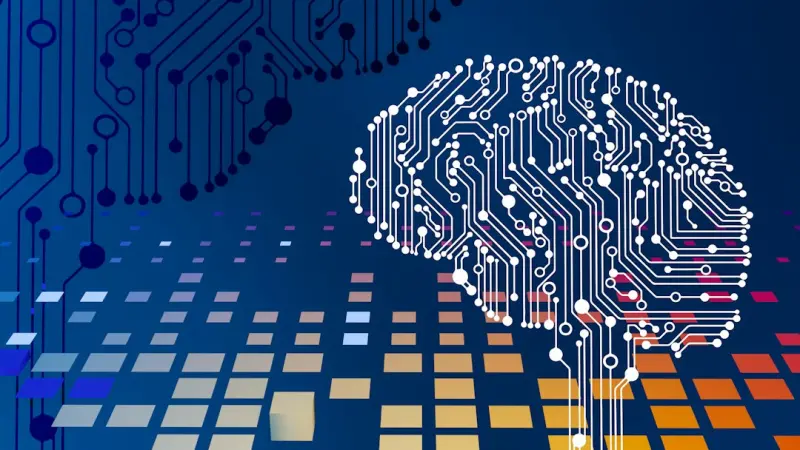
When I first tried to stitch together the countless PDFs, Slack threads, and bookmarked articles that littered my digital life, I felt like I was building a house of cards—one gust of new information could topple the whole thing. It was a familiar story for anyone who spends their days navigating an ocean of data, but the real breakthrough came when I stopped treating those fragments as isolated pieces and started asking a simple question: what if they could talk to each other?
The hidden cost of digital clutter
Every professional, from product managers to data analysts, knows the feeling of opening a document and being hit by a wall of unrelated facts, outdated metrics, and half‑finished ideas. That wall isn’t just an inconvenience—it’s a hidden cost that eats up time, mental bandwidth, and strategic clarity. According to a recent study on micro‑moments of joy, the average knowledge worker spends roughly 20 % of their day simply trying to locate the right piece of information. Multiply that by the number of workers in a typical organization, and the productivity drain becomes massive.
Enter the personal knowledge graph (PKG)
A personal knowledge graph is a data structure that maps the relationships between the nuggets of information you collect. Think of it as a mind map that lives in a machine‑readable format, where each node (a note, a metric, an idea) is linked to other nodes by explicit, semantic connections.
- Nodes represent discrete pieces of content—an article, a meeting note, a code snippet.
- Edges describe the relationship—“supports”, “contradicts”, “expands on”, “originates from”.
- Properties add context—author, date, confidence level, relevance score.
When you feed this graph into a modern AI engine, the system can answer questions like “What trends are emerging in our customer feedback over the last quarter?” or “Which design principles from our last sprint align with the upcoming product roadmap?” without you having to manually sift through endless files.
Why AI is the catalyst, not the crutch
Most AI hype pieces present the technology as a replacement for human judgment. In the realm of PKGs, AI is instead a catalyst that amplifies the value of the graph you’ve already built. It does three things exceptionally well:
- Inference: By recognizing patterns in the edges, AI can suggest new connections you haven’t yet considered—turning a note about “user onboarding friction” into a link with a recent AI‑driven narrative about first‑time user experiences.
- Prioritization: Using relevance scoring, the model surfaces the most actionable insights based on your current goals, be it a quarterly OKR or a sprint planning session.
- Natural language querying: Instead of learning a query language, you simply ask, “What are the biggest risks in our upcoming release?” and the AI traverses the graph to return concise, evidence‑backed answers.
Building your PKG: a step‑by‑step playbook
Creating a personal knowledge graph doesn’t require a PhD in graph theory. Below is a pragmatic workflow that fits into a busy professional’s routine.
1. Capture with intent
Every time you save a piece of content, tag it with a purpose tag—#idea, #question, #reference. Most note‑taking apps now let you add custom metadata, which becomes the first layer of your graph’s properties.
2. Define relationships on the fly
Instead of waiting until the end of the week to organize, link notes as you go. For instance, after a meeting, you might connect the meeting note node to a recent market research PDF with an edge labeled “supports hypothesis”. This incremental approach prevents the dreaded “backlog of unlinked notes” that plagues many knowledge‑base tools.
3. Export to a graph‑ready format
Many modern tools (Obsidian, Roam Research, Notion) can export to JSON or CSV. Choose a format that includes node IDs, edge definitions, and property fields. If you’re comfortable with code, a quick Python script can transform the export into a Neo4j or GraphQL compatible schema.
4. Plug into an AI layer
Several SaaS platforms now offer “graph‑aware” embeddings—vectors that capture both node content and its relational context. Load your graph into one of these services, and you’ll instantly gain the ability to run semantic searches, similarity clustering, and even automated edge suggestions.
5. Iterate and refine
Just as you would refactor code, revisit your graph monthly. Remove dead‑end nodes, rename vague edges, and adjust confidence scores. Over time, the graph becomes a living repository that mirrors the evolution of your thinking.
Real‑world impact: case studies
Below are two concise examples that illustrate the tangible ROI of AI‑enhanced PKGs.
Product team at a mid‑size SaaS
They consolidated three months of customer support tickets, feature request documents, and competitive analysis into a PKG. After integrating an AI inference engine, the team uncovered a previously unnoticed correlation: feature X was frequently mentioned alongside churn in high‑value accounts. The insight led to a targeted redesign that reduced churn by 8 % within a single quarter.
Freelance strategist navigating multiple client projects
By linking client briefs, industry reports, and personal observations in a PKG, the strategist could answer “What are the common pain points across my tech clients?” in seconds. The AI surfaced a pattern around data‑privacy concerns, prompting a new service offering that generated an additional $45 K in revenue over six months.
Integrating PKGs with team dynamics
One of the biggest misconceptions is that a personal knowledge graph must stay personal. In reality, the principles of skill badges and peer trust can be extended to shared knowledge graphs. By assigning “badge” edges—like “validated”, “peer‑reviewed”, or “expert‑endorsed”—you create a transparent trust layer that encourages collaboration without sacrificing individual ownership.
When teams adopt a shared PKG, they benefit from:
- Reduced duplication: Everyone sees what’s already been explored.
- Accelerated onboarding: New hires navigate a pre‑mapped knowledge landscape.
- Collective intelligence: AI can aggregate insights across the entire graph, surfacing organization‑wide trends.
Addressing common concerns
Privacy: Your PKG lives on your device or a secure, encrypted cloud. AI services that process the graph can operate on‑premise or via zero‑knowledge APIs, ensuring sensitive data never leaves your control.
Complexity: The initial setup may feel daunting, but the incremental approach—capture, link, export—keeps the learning curve shallow. Many tools now provide one‑click “graphify” options that automatically infer edges from shared tags.
Bias: AI will only surface patterns that exist in the data you feed it. By actively curating edges and assigning confidence scores, you maintain a guardrail against echo chambers.
The future: autonomous knowledge assistants
Imagine a future where your PKG is not just a repository, but a proactive assistant that nudges you at the right moment: “You have a meeting about feature rollout tomorrow; here’s the latest user sentiment from the graph, and a related case study you haven’t reviewed.” This vision is already emerging in early‑stage products that combine graph neural networks with real‑time context awareness.
When you start treating your digital clutter as a structured, AI‑ready knowledge graph, you transform a chronic productivity drain into a strategic advantage. The journey begins with a single link, and the payoff grows exponentially as the graph matures.

David Moore is a freelance writer specializing in two dynamic and ever-evolving fields: gambling and the tech industry. With a keen eye for detail and a knack for unraveling complex topics, David delivers insightful and engaging content that keeps readers informed and entertained.
Related Posts

When AI Becomes a Cross‑Cultural Translator: Bridging Global Team Gaps
A deep dive into AI-powered cross‑cultural translation, showing how real‑time contextual intelli... Read More
How AI Can Champion Inclusive Product Design
AI isn’t just a productivity booster; it can be a powerful ally in creating inclusive products. Le... Read More

Your AI Learning Companion: Turning Curiosity into Mastery
An AI learning companion transforms the chaos of endless information into a personalized, context‑... Read More
Top Posts

Cultivating a Sensory Garden: A DIY Guide to Scent, Sound, and Serenity
Discover how to craft a garden that delights the senses—fragrant herbs, soothing sounds, tactile textures, and night‑time glow—while staying eco‑friendl...Read More

The Green Employment Revolution: How My Garden Desk is Shaping the Future of Work
Rose DesRochers shares her garden‑desk journey, showing how green workspaces boost morale, creativity, and attract eco‑conscious talent in today’s evolvin...Read More

Nurturing Your Skin’s Invisible Allies: A Microbiome‑First Personal Care Guide
Explore a fresh approach to personal care that prioritizes the skin’s microbiome, offering practical swaps, a 30‑day challenge, and tips for eco‑friendly,...Read More

Curating Your Information Diet for a Healthier Mind
A practical guide to mastering the information diet: audit your digital intake, set intentional consumption windows, and leverage AI wisely to protect mental he...Read More
0 Comments
Post Comment
You will need to Login or Register to comment on this post!