
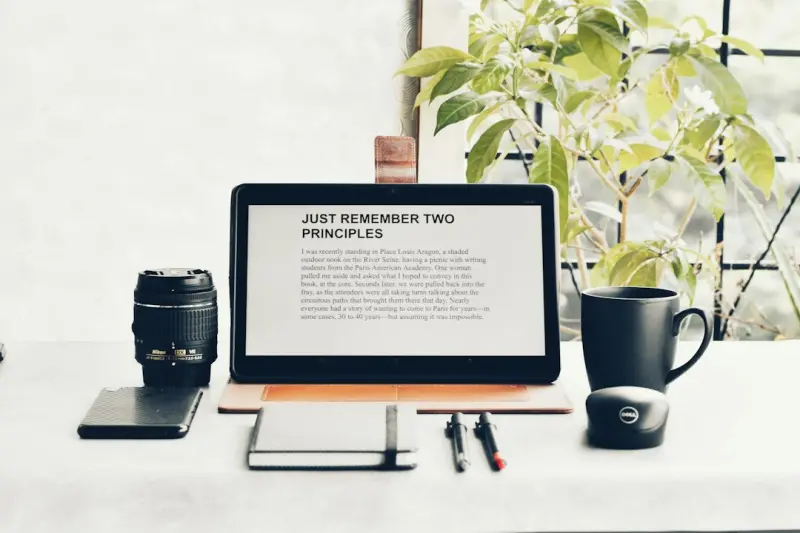
Artificial intelligence has slipped past the hype cycles and settled into a quiet, almost invisible role in many of our daily workflows. For freelancers and solo entrepreneurs, that quiet presence can feel like an invisible co‑pilot—guiding, nudging, and taking care of the minutiae so you can focus on the work that truly matters. In this piece, I’ll unpack how AI is reshaping personal productivity, explore concrete tools you can adopt today, and share a few strategies for weaving machine intelligence into the fabric of your workday without letting it dominate the narrative.
Why a “co‑pilot” mindset matters
When you run a one‑person operation, every minute is a negotiation between creation, administration, and self‑care. Traditional productivity frameworks—time blocking, Pomodoro, GTD—are still useful, but they assume a static set of constraints. AI, on the other hand, is dynamic. It learns from your patterns, anticipates bottlenecks, and can automate repetitive steps in real time.
Think of the difference between a checklist and a seasoned assistant who not only knows the list but also knows when you’re likely to get stuck and offers a pre‑emptive solution. That’s the shift from manual productivity hacks to an AI‑enhanced workflow.
Three ways AI can become your silent partner
- Smart task triage. Modern AI assistants can scan incoming emails, messages, and calendar invites, then prioritize them based on your historical responses, deadlines, and project importance. Rather than manually sorting a cluttered inbox, you let the system surface the few items that truly need your attention.
- Micro‑automation of routine actions. Repetitive steps—renaming files, generating invoices, formatting reports—are perfect candidates for AI‑driven scripts. With a few clicks, you can set up “if‑then” flows that run in the background, freeing mental bandwidth for creative thinking.
- Focus‑enhancing nudges. By monitoring your activity patterns, AI can suggest optimal work windows, recommend short restorative breaks, or even play subtle background sounds that improve concentration. These nudges are personalized, not generic, because the system learns from your own rhythms.
Choosing the right tools for a freelance setup
There’s a dizzying array of AI‑powered apps on the market, but not all of them are built for the solo professional. Here’s a short list of categories and examples that tend to integrate smoothly with existing toolchains.
- Intelligent inbox managers. Look for services that offer natural‑language processing to tag and sort messages automatically. Some platforms also provide quick reply suggestions, cutting down the time spent crafting routine responses.
- Automation platforms. Tools like Zapier, Make (formerly Integromat), or native AI features in project management software let you link apps together without writing code. For instance, you can set a rule: “When a new client signs up on my website, create a draft invoice and add the client to my CRM.”
- Personal focus assistants. Applications that use AI to analyze your work patterns and schedule focus blocks are gaining traction. They often integrate with calendars and can even dim notifications during deep‑work periods.
Integrating AI without losing the human touch
Automation can feel impersonal if you hand over too much too quickly. To keep the human element intact, consider these guidelines:
- Start small. Automate a single, low‑risk task—like moving email attachments to a cloud folder—and expand from there.
- Maintain oversight. Periodically review the AI’s decisions. Does it prioritize correctly? Are the automated messages still aligned with your brand voice?
- Blend AI with personal rituals. Use AI to handle the grunt work, then allocate the reclaimed time to activities that reinforce your identity as a creator—whether that’s brainstorming, learning, or client interaction.
Case study: From scattered notes to a streamlined pipeline
Sarah, a freelance graphic designer, used to juggle client briefs via email, track revisions in a spreadsheet, and bill through a separate invoicing tool. Over a month, she introduced three AI enhancements:
- She set up an AI‑powered email sorter that automatically tagged project‑related messages and archived the rest.
- She built a workflow that turned each new tagged email into a task in her project board, complete with due dates extracted from the email body.
- She integrated an AI invoice generator that pulled project hours from her time‑tracking app and drafted invoices ready for a quick review.
The result? Sarah cut her administrative time by roughly 30%, giving her more space for design work and client communication. Her clients also noticed faster turnaround times, which led to higher satisfaction scores.
Beyond the desk: AI for personal well‑being
Productivity isn’t just about output; it’s also about maintaining a sustainable pace. AI can play a subtle role in supporting mental equilibrium. For instance, a creative spark assistant can suggest short, mind‑stimulating activities during breaks—like a quick sketch prompt or a micro‑meditation—based on the intensity of your current task.
Similarly, AI can recommend environmentally friendly habits that dovetail with a balanced lifestyle. A gentle nudge to swap out a chemical cleaner for a plant‑based alternative can be delivered through a daily habit tracker, linking back to broader goals of sustainability without feeling preachy. An eco‑friendly cleaning hack suggestion might appear right when you’re planning your next work‑session, reinforcing the connection between a tidy space and a clear mind.
Leveraging AI for creative brainstorming
One of the most exciting frontiers for freelancers is using generative AI as a brainstorming partner. Whether you’re drafting copy, sketching a logo, or outlining a strategy, an AI model can generate variants that spark new directions. The key is to treat the output as raw material rather than finished work. Use the suggestions to jump‑start your own thinking, then refine and personalize.
To keep the process organic, set parameters that align with your brand voice and style guidelines. For example, you might feed the AI a short brand manifesto and ask for tagline ideas that stay within those boundaries. The result is a collaborative loop where human intuition and machine diversity combine to produce richer concepts.
Future‑proofing your workflow
As AI capabilities evolve, the line between tool and teammate will continue to blur. Here are some forward‑looking practices to keep your workflow adaptable:
- Maintain data hygiene. The quality of AI recommendations hinges on clean, well‑structured data. Regularly audit your contact lists, project tags, and file naming conventions.
- Stay informed about privacy. Choose AI services that offer transparent data handling policies, especially if you deal with sensitive client information.
- Experiment with open‑source options. Community‑driven AI models can be customized to fit niche needs, offering a degree of control that proprietary platforms may lack.
Putting it all together: A starter checklist
Ready to let AI become your invisible co‑pilot? Follow this quick launch plan:
- Identify one repetitive task that consumes at least 30 minutes a week.
- Choose an AI tool that addresses that task (email triage, automation platform, focus assistant).
- Set up the automation with clear triggers and outcomes.
- Monitor the results for a week, noting time saved and any friction points.
- Iterate: refine the rules, expand to another task, and gradually build a network of AI‑assisted processes.
By approaching AI adoption as a series of small, measurable experiments, you’ll avoid overwhelm and build confidence in the technology’s reliability.
Conclusion: Embrace the partnership, not the takeover
The most powerful AI applications aren’t the ones that replace us, but the ones that amplify our unique strengths. For freelancers, that means delegating the mechanical to the machine while reserving the creative and relational for yourself. When you treat AI as a silent co‑pilot—steady, observant, and ready to assist—you unlock more time, sharper focus, and a healthier work rhythm. The future of solo work isn’t about doing everything alone; it’s about collaborating with intelligent tools that let you do what you love, better.

Jimmy Damon loves to right on a large scale of topics with all things Canadian as this Montreal die hard loves hockey. fishing and sports.
Related Posts
AI as a Creative Partner: Redefining How We Make Art
Explore the untapped potential of AI as a collaborator, not a tool—learn how generative models ins... Read More

AI‑Powered Personal Knowledge Networks: Turning Data Overload into Insight
Explore AI‑powered personal knowledge networks that organize and synthesize your data, turning ove... Read More

When AI Becomes Your Personal Knowledge Concierge
Discover how an AI knowledge concierge transforms daily work by delivering proactive, context‑awar... Read More
Top Posts

Strategic Forecasting at Light Speed: Generative AI Meets Business Intelligence
Generative AI is turning weeks‑long forecasts into minute‑long insights, empowering executives with dynamic, data‑rich scenarios. Learn how to integrate t...Read More

Crafting Calm: How Hand‑Made Activities Rewire Stress
Discover the science behind tactile activities such as knitting, origami, and beadwork, and learn practical ways to integrate these handcrafts into daily routin...Read More

The New Playground: AI as a Co‑Creator in Business Brainstorms
Generative AI is moving from data crunching to the creative front lines, acting as a co‑creator in brainstorming sessions. This post outlines how teams can ha...Read More

Why Garden Desks Are Redefining the Modern Employee Experience
Discover why garden desks are the new catalyst for career growth and employee satisfaction, turning outdoor spaces into high‑performance work zones....Read More
0 Comments
Post Comment
You will need to Login or Register to comment on this post!